Record money received (Receive Money)
Receive Money records money arriving in a bank account that is not a customer paying an invoice — interest, a grant, a loan drawdown, or capital you put in yourself. For invoice payments, use Record a payment against an invoice so the invoice is settled properly.
Before you begin
- Sign in and select your organisation. You need the issue sales invoices permission to record, and void to undo.
- You need at least one bank account.
- Like Spend Money, it posts immediately — undo by voiding.
Record a receipt
- Go to Banking → Receive Money and choose Record Receipt.
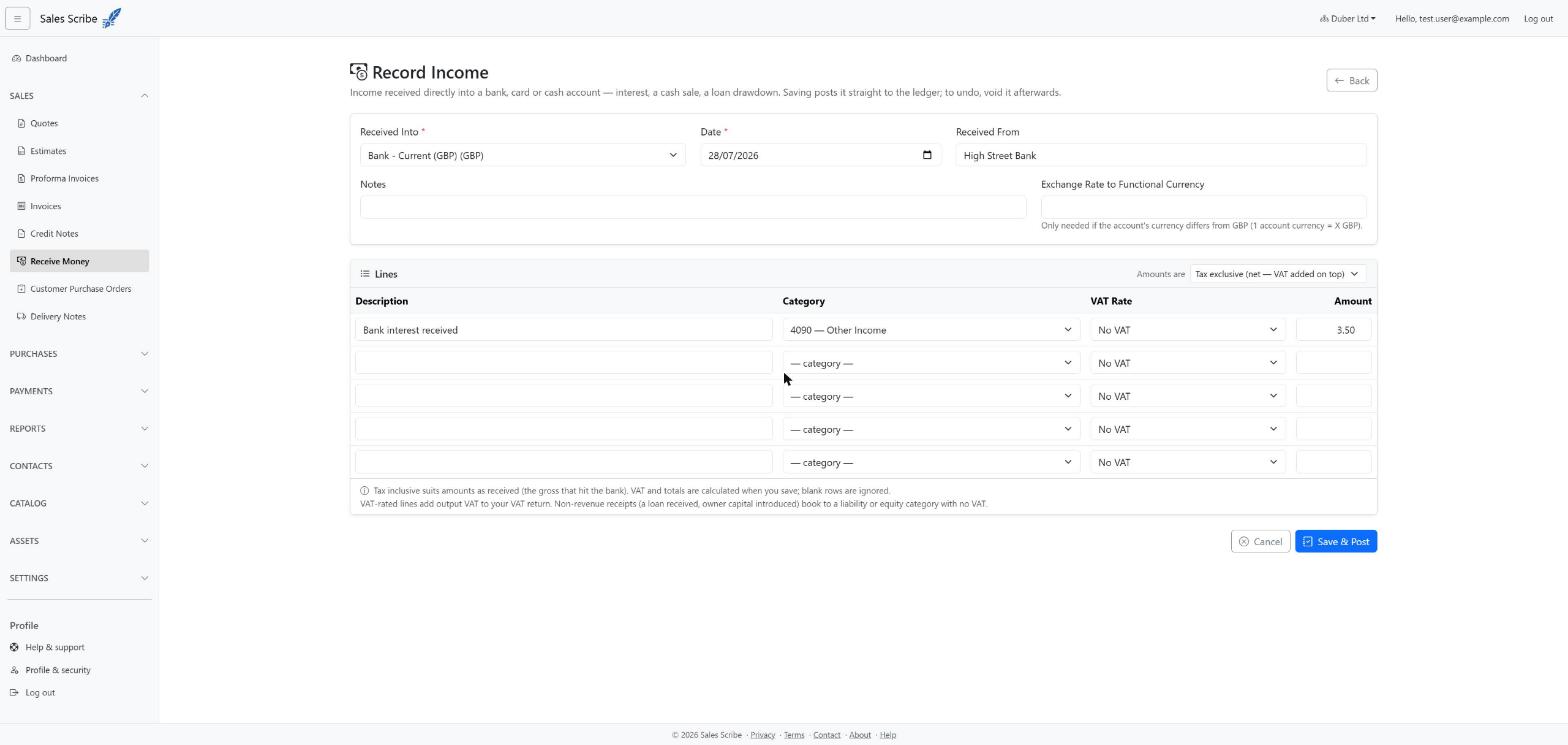
- Pick the bank account the money arrived in, the date, and who it came from (Payer).
- Choose whether your amounts include VAT (Amounts are selector).
- For each line, enter a description, pick a category, choose a VAT rate if the income is VATable, and enter the amount. Use Add line for more rows and the × button to remove one; blank rows are ignored, and a running total of the amounts entered shows under the lines.
- Save. The transaction posts at once with a sequential RM- number.
Note: for a foreign-currency bank account, an exchange-rate field appears, prefilled with the latest stored rate for the transaction date — you can overtype it before saving.
Choosing the right category
Not all money in is income, so the category list offers four kinds of account:
- Income — interest received, grants, sundry income.
- Liability — a loan drawdown: the cash arrives but you owe it back, so it is not income.
- Equity — owner capital you introduce into the business.
- A person's running account — a director's loan account or equivalent, for a director putting money into the company. See Record money to or from a director.
Booking a loan or capital injection to a liability or equity account keeps it off your Profit & Loss — which is exactly right.
What it does in your books
The money lands in the bank account, each line goes to its category, and any VAT is recorded as output VAT on your VAT summary.
The journal line on the category carries your own line description — Receive money RM-00007 - Director's loan introduced. Several lines coded to the same account post as one journal line with their descriptions joined; if you left the description blank, the memo is just the document reference.
Undo a receipt
Open it from the Receive Money list and choose Void, giving a reason — a reversing journal restores your balances and the original stays visible.