Manage payment methods
A payment method describes how money moved — bank transfer, card, cash, cheque and so on. You choose one every time you record a customer or supplier payment. Each method is linked to one of your bank accounts, and that link matters: it decides which account the payment posts to in your ledger, and it is how bank reconciliation knows which statement the payment should appear on.
Before you begin
- Sign in and select your organisation.
- Anyone in the organisation can view the list; creating or editing payment methods needs the manage chart of accounts permission (the same permission as managing bank accounts).
- A standard set of methods (Bank Transfer, Cash, Visa and others) is created automatically with your organisation, already linked to your first bank account.
Open the screen
Go to Settings → Payment Methods.
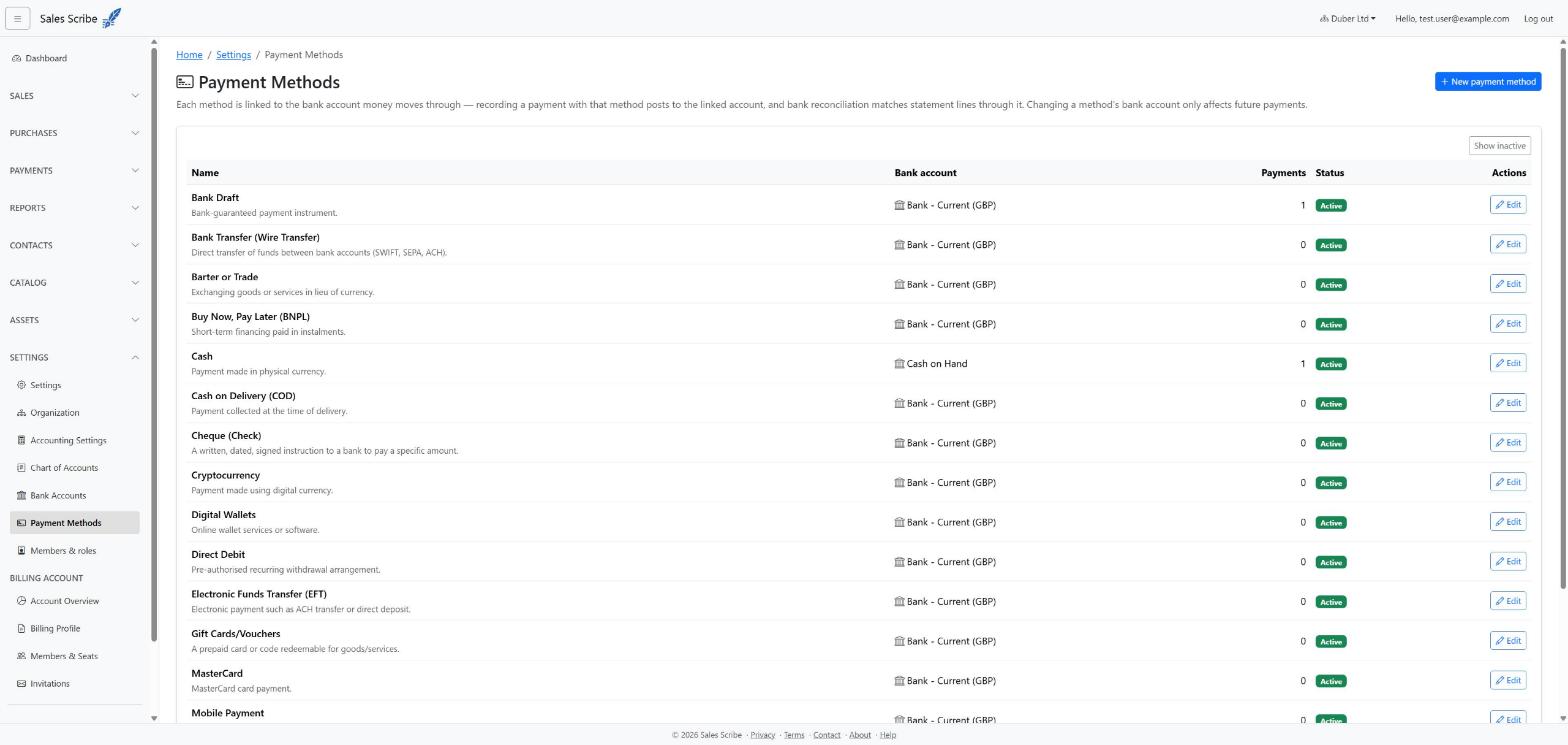
The list shows each method's linked bank account, how many payments reference it, and whether it is Active. Use Show inactive to include deactivated methods.
Important: a method showing a Not configured badge has no bank account. Payments recorded with it cannot be posted to your ledger until you assign one — a warning at the top of the page counts any such methods.
Assign a bank account to a method
- Choose Edit on the method.
- Pick the account from the Bank account list (it shows each account's currency).
- Choose Save changes.
For example, link Cash to your Cash on hand account and card methods to the bank account the card settles into.
Note: changing a method's bank account only affects future payments. Payments that have already been posted keep the account they were actually posted to — your history never silently moves between banks.
Create your own method
- Choose New payment method.
- Give it a Name (unique within your organisation), an optional description, and pick its Bank account.
- Leave Active switched on and choose Create.
Deactivate a method you no longer use
Edit the method and switch Active off. It disappears from payment forms, but nothing else changes — existing payments keep their history. Methods cannot be deleted, because payments reference them; deactivating is the intended way to retire one.